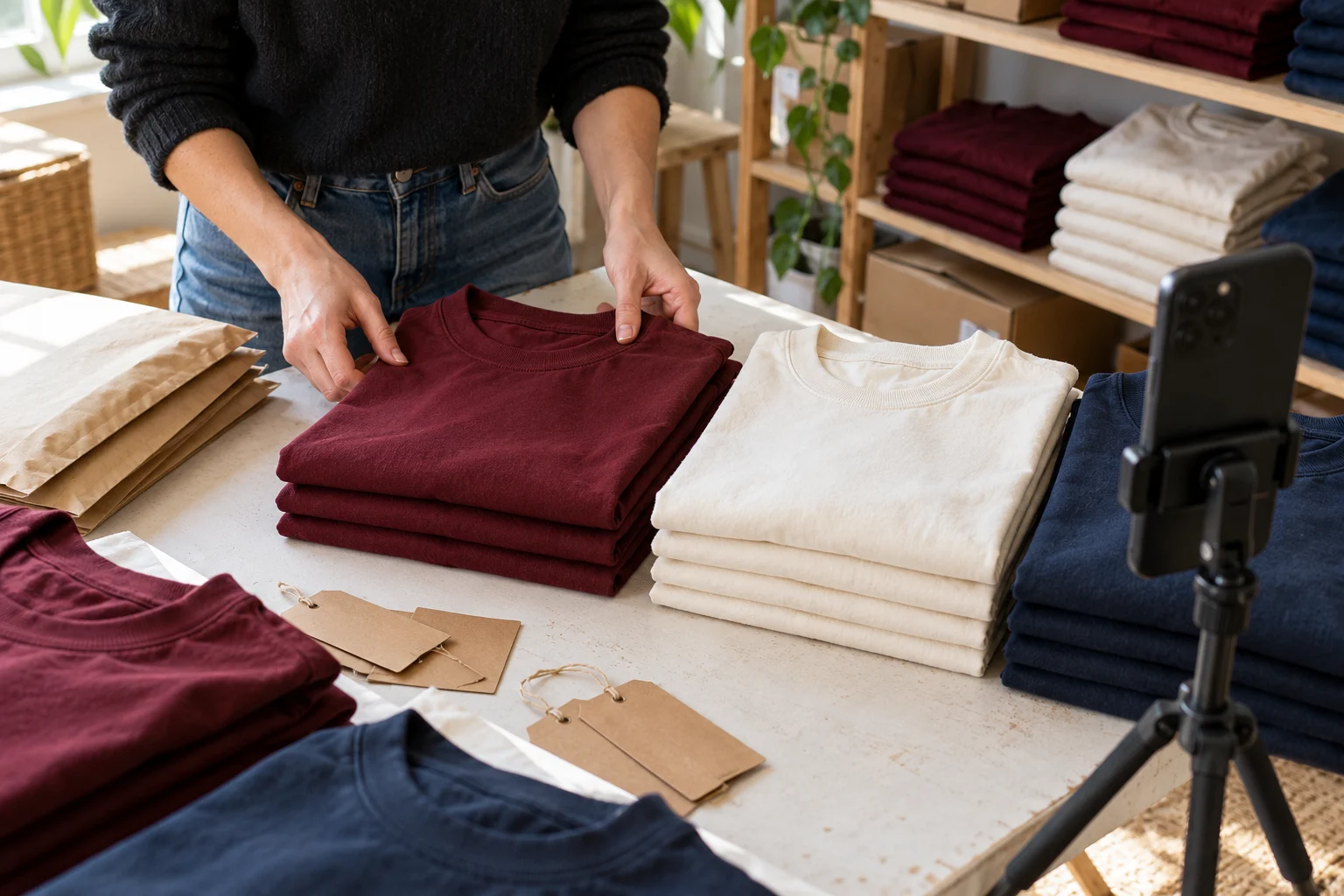
Your product is available again. You take a photograph, write “Back in stock!” and post it on Instagram. A few minutes later, the questions arrive.
Which colours came back? Is the larger size available? Can customers order now, or is this a preview? Where should they buy it?
A useful Instagram restock announcement answers those questions before customers have to ask. It identifies the returning product, explains what is available and gives people one clear way to take the next step.
The caption does not need to sound like a major advertising campaign. A small shop can write an effective announcement using accurate product details, a representative photograph and straightforward language.
Here is how to put those pieces together, with original examples you can adapt.
Confirm What Is Actually Available
Before writing the announcement, check the stock itself.
A delivery arriving at your premises does not necessarily mean every item is ready to sell. You may still need to inspect the products, count available units, photograph a changed finish or update the shop listing.
Make a short record of:
- The exact product or collection returning.
- Available colours, sizes or variations.
- Whether customers can order immediately.
- Whether the price or product details have changed.
- The expected dispatch window.
- Where customers should place their orders.
These details become the foundation of your announcement.
If only some variations have returned, name them. “Our everyday T-shirts are back” could imply that the entire range is available. “Cream and navy everyday T-shirts are back in sizes S–XL” gives customers a clearer picture.
Put the Product in the First Line
The opening line should make sense to someone who does not recognise the photograph.
“Finally!” may express your excitement, but it does not explain what happened. Name the product first, then add personality.
For example:
The burgundy everyday T-shirt is back in stock, including sizes M and L.
Or:
Our small woven storage baskets are available again in the natural finish.
You can still sound warm and enthusiastic. The point is to make the news understandable without requiring the reader to open older posts.
Avoid describing something as a “bestseller” or “most-requested product” unless that reflects your actual sales or customer enquiries. A restock is worth announcing without adding unsupported popularity claims.
Use a Five-Part Restock Caption
A practical caption usually includes five elements:
The return: What is back?
The options: Which sizes, colours or versions are available?
A useful detail: What should a buyer know about the item?
The ordering information: Can they buy now, and when will orders be dispatched?
The next step: Where should they go?
Here is an illustrative example:
The everyday T-shirt is back in burgundy, cream and navy.
This restock includes sizes S–XL. Check the product page for garment measurements before choosing your size.
Orders are open now, with dispatch expected within three working days.
Find the Everyday T-Shirt collection through the shop link in our profile.
The product details and dispatch promise are examples. Replace them with information you have verified for your own business.
Caption Examples for Different Restocks
Different situations need different wording. A full collection returning is not the same as one size becoming available.
A straightforward product return
Our ceramic bud vases are back in the cream speckled finish.
Each listing includes the dimensions and photographs of the available design. Orders are open now.
Visit the Bud Vases collection through our profile’s shop link to see the current selection.
This version gives customers a clear route to the information they need without repeating the entire product description.
A particular size returning
Looking for the navy everyday T-shirt in size L? It is available again.
The other current size options are listed on the product page. Please check the garment measurements before ordering.
You can find the navy T-shirt through the shop link in our profile.
Naming the size early makes the announcement useful to people waiting for that option.
A restock coming later
The natural canvas pouch returns on [date] at [time and time zone].
This batch will include the small and medium sizes. We will share the product details before ordering opens.
Save the date if you have been waiting for this design.
Use a time zone whenever an opening time matters. Do not write “available now” in an announcement that is only giving advance notice.
A partial collection restock
Three colours from the woven basket range are back: natural, olive and charcoal.
The rust version is still unavailable, and we do not have a confirmed return date for it yet.
Browse the available colours in the Woven Baskets collection.
Being clear about what has not returned can prevent disappointment and repeated questions.
Show the Returning Item Clearly
The main photograph should make it easy to identify the product.
For clothing, show the returning colour accurately and include a view that helps buyers understand the item. For a small accessory, use an uncluttered photograph that makes its shape and finish visible.
If you include several items, explain which ones are part of the restock. A styled photograph can accidentally suggest that props, accessories or an entire set are included.
A small set of supporting images could show:
- The returning product.
- Available variations.
- A useful close-up.
- Measurements or another buying detail.
You do not need to use every format. Choose images that answer real questions rather than adding slides to make the post longer.
Photographs of packaging or shelves can support the story, but customers should not have to guess what you are selling.
Make the Product Page Match the Announcement
Your caption and product page should agree.
If Instagram says a colour is available while the shop still shows it as sold out, the customer reaches a dead end. If your caption promises quick dispatch but the listing gives a longer production time, buyers may be unsure which information to trust.
Before posting, open the product page as a customer would and check the title, variations, measurements, quantity and ordering information.
For handmade items, our guide to writing product descriptions for handmade products explains how to present materials, dimensions, variations and care details clearly. Those details belong on the listing, so a short social caption can direct buyers to a complete explanation.
Use the announcement to introduce the return. Let the product page handle the fuller buying information.
Choose One Clear Next Step
A caption becomes harder to follow when it asks people to comment, send a message, share the post, visit the website and join a mailing list at the same time.
Choose the action that fits your ordering process.
For a website-based shop:
View the available sizes through the shop link in our profile.
For a business that genuinely takes orders through messages:
Send us the product name and preferred colour, and we will confirm availability.
For an advance announcement:
Check back on [date] for the ordering details.
Only refer to a link or ordering option that customers can actually find. Test the route on your phone before publishing the post.
Avoid Pressure That the Stock Does Not Justify
A restock caption does not need a countdown or a warning that everything is about to disappear.
Use statements such as “only five available” only when the number is accurate and you can keep the information reasonably current. Avoid inventing urgency because other shops use it.
There is also a difference between explaining a small batch and predicting a sell-out.
“This batch contains 20 pieces” describes the available quantity.
“These will sell out in minutes” predicts something you may not know.
Buyers can decide whether to order when you give them useful facts. Exaggerated pressure can distract from the product and make future announcements less credible.
Follow Up With Information, Not Repetition
One announcement may not answer every question. A follow-up can be useful when it adds something new.
For example, your first post might announce the return. A later update could show the difference between two sizes, demonstrate a fastening or answer a question customers have repeatedly asked.
A simple sequence could be:
| Stage | Useful information |
|---|---|
| Before the return | Confirmed date and returning variations |
| When ordering opens | Availability, ordering route and dispatch information |
| After launch | Answers to common questions or a helpful product demonstration |
| When stock changes | Accurate updates about unavailable options |
This is an example planning structure, not a required posting schedule. A small restock may only need one clear announcement.
If an item becomes unavailable, update the information customers are most likely to see. Avoid continuing to send people toward an offer that is no longer available.
Check Whether the Announcement Was Useful
Likes alone do not explain whether customers understood the post.
Look at the questions people asked. If several customers wanted to know the same missing detail, add it to future announcements or the product page.
Where your business has access to relevant data, compare product-page visits, enquiries and orders around the announcement. Keep other activity in mind: an email, paid campaign or seasonal event may also have influenced demand.
Do not assume that every order came from one Instagram post.
A useful review question is: “Did this announcement make it easier for someone to understand and find the returning product?”
Frequently Asked Questions
How long should a restock caption be?
Long enough to identify the product, explain important availability details and give a clear next step. A simple restock may need a few sentences. A changed product or partial collection may need more explanation.
Should I announce a restock before products arrive?
You can share an expected return, but distinguish an estimate from confirmed availability. Avoid taking customers to an ordering page that suggests stock is ready when it is not.
Do I need a discount for a restock announcement?
No. The return of a product is the announcement. Only include a discount if you have deliberately chosen an offer and can explain its terms accurately.
Can I reuse my previous restock caption?
You can reuse a helpful structure, but check every detail. Colours, prices, sizes, dispatch times and ordering routes may have changed since the last batch.
Make the Return Easy to Understand
A clear restock announcement tells customers what has returned, which options they can buy and where to find the complete details.
Start with accurate stock information. Show the actual product, give people one useful next step and keep the announcement consistent with your shop. That is a stronger foundation than a caption full of excitement that leaves buyers searching for basic answers.