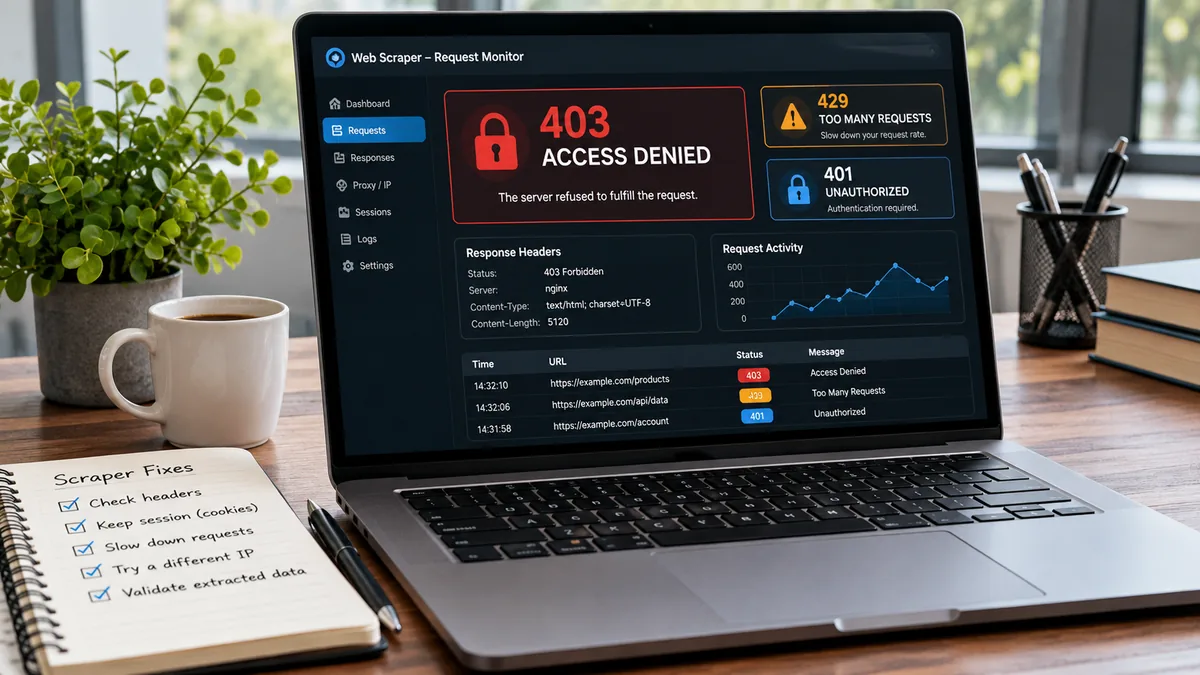
If you scrape websites for prices, SEO checks, or product availability, you will see blunt messages. “Access denied.” “Unusual traffic.” “Please enable cookies.” They read like short texts with no context.
The tricky part is that these “messages” can mean several things. A 403 can signal a real policy block, or it can mean your request looks automated. A page that loads can still hide the data you need. This article breaks down common block signals and what to change first.
Treat block signals like texting: context changes meaning
Many teams treat one error code as one cause. That often leads to over-fixing, like adding heavier tools or more IPs than you need. Read the full situation instead.
403 and 401: not always a hard no
A 401 usually means “log in,” but it can also mean “present a valid session.” If your scraper drops cookies between requests, you can trigger it by accident.
A 403 looks final, yet it can reflect missing headers, blocked IP ranges, or a bad fingerprint. If the same URL works in a normal browser, compare the request. Check user-agent, accept-language, and whether you follow the same redirects.
429: the site is telling you to slow down
A 429 often means your pace stands out. It can also mean your requests cluster too tightly from one identity. Adding more concurrency can make this worse.
Try spacing requests, adding jitter, and keeping sessions stable. When you must scale, spread load across multiple identities while keeping each one “human-paced.”
Silent blocks: when HTML looks fine but data is missing
Some targets return a page that renders, but the key fields vanish. You might see placeholders, empty JSON, or a “consent” shell. This is like someone replying “k” and ending the conversation.
Confirm what your parser receives, not what your browser shows. Save raw HTML and response headers for samples that fail. If data comes from XHR calls, collect those endpoints too.
Stabilise a scrape without brute force
Start with the simplest change that could explain the signal. If your scraper flips IPs every request, you may lose session state. If it never rotates, you may burn one identity.
Get clear on what “a session” means for your target. Some sites bind sessions to IP plus cookie. Others bind to TLS fingerprint or device hints. Your goal is consistency where it matters, and variation where it helps.
If you are validating a light workflow for tables and directory pages, Byteful shares a practical walkthrough on how to use Instant Data Scraper.
Also watch for tooling mismatches. A browser automation stack can trigger heavier checks than a plain HTTP client. If the page is server-rendered, a simple fetch may work better than a full browser.
Pick the right IP identity for the job
“Use proxies” is as vague as “k.” You need the right type for the target and the risk level. Think in terms of trust, speed, and how long you must hold an identity.
Datacenter IPs fit fast crawling, monitoring, and broad discovery. They are efficient when the site tolerates automation patterns. They can fail quickly on sites that expect consumer traffic.
Rotating residential IPs often help when a site filters by IP reputation. They can suit search pages, category listings, and other public pages. They also reduce the “same IP, too many requests” pattern.
Static residential, also called ISP proxies, can work well when you need a stable login or a cart flow. You keep one IP for longer, which can reduce session churn. They can also support workflows that break when the IP changes mid-task.
Mobile IPs can matter when the target is mobile-first, or when carrier traffic behaves differently. They can also help when a site flags residential traffic but treats mobile networks as normal.
If you need a single place to manage these choices, Byteful is a UK-based web data infrastructure platform that provides ethically sourced residential, mobile, static residential (ISP) and datacenter proxies with API-first tools. It is a member of the Internet Watch Foundation and the Ethical Web Data Collection Initiative.
Build a QA loop that catches blocks early
Scrapes drift over time. Targets change HTML, add consent gates, or tighten rate limits. You will catch issues faster if you treat scraping like a monitored pipeline, not a one-off script.
Log response codes, final URLs after redirects, and a small hash of the HTML. A sudden rise in 200 responses with a new hash can signal a soft block. A spike in redirects can signal a new login wall.
Validate the extracted fields, not just the request success. If price becomes empty, flag it even if the HTTP status is 200. Keep a small set of “golden pages” you re-check each run.
If you are unsure what a target is “saying” with its block page, capture a sample and re-read it like a short message. Context usually reveals the fix. If you spot an edge case others should know about, share it with your team or send the site owner a respectful note.